


Saily: eSIM + phone number
4.51.20K Reviews
App Specs
- Version
- 3.52.0
- Updated On
- License
- Free
- Downloads
- 5,000,000+
- Developer
- Nord Security
- Categories
- Travel & Local
- Platform
- Android, iOS
Screenshots
 Analysis by AppCompare
I usually think about mobile data only when I need it most: after landing, while looking up directions, messaging someone about a delay, or finding the right way to get to my accommodation. That is the moment an unfamiliar network and roaming charges can turn a simple task into a nuisance. Saily eSIM is aimed at that travel problem, giving you a way to arrange mobile data before or during a trip without handling a physical SIM card.
Where travel setup can get stuck
The first thing I would check is whether your phone supports eSIM and whether you can install one before relying on it abroad. An eSIM plan is not a workaround for a device that cannot use eSIM technology. It is also worth checking your phone’s network and mobile-data settings, because an installed plan still needs to be selected and configured for data use. These checks are easiest to do at home, with time to read the prompts rather than while standing in an airport queue.
Another common source of confusion is the difference between buying a plan and having working data. Selecting a destination plan is only one step; the phone must also be set to use the relevant eSIM for mobile data. If your home SIM remains active, make sure you understand which line is handling data and which is being used for calls or messages. That small check can prevent the familiar “I bought data, so why is nothing loading?” moment.
Coverage and the timing of a trip matter too. A plan intended for travel is useful only if it applies to the destination you are visiting, and a multi-stop itinerary deserves a careful look before purchase. I would compare the destination shown in the app with the places on my actual route, especially when a journey includes a stopover or a border crossing. A country name that sounds close enough is not a safe substitute for checking the plan details.
Getting Started with Saily eSIM
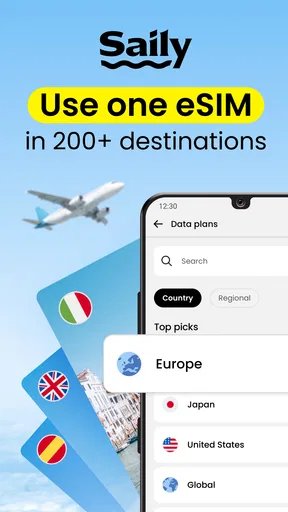
Jumping into Saily eSIM is surprisingly straightforward. First off, you download the app from your usual app store. Once you fire it up, it's like the app is inviting you to a world tour. The interface is clean, intuitive, and feels like it was designed with the traveler in mind. No clutter, just the essentials.
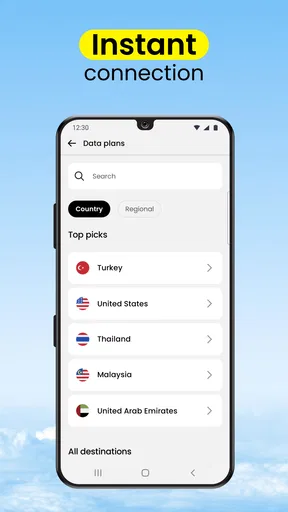
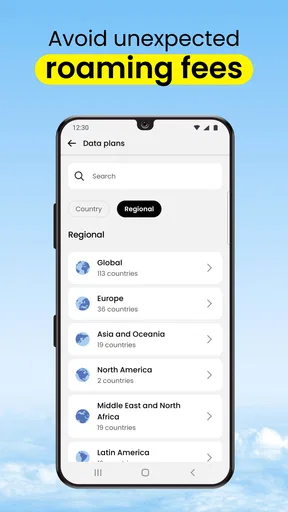
To get rolling, you need to set up an account. It’s a matter of entering your details, and voilà, you’re in! The app then prompts you to select your destination from a list of countries. It’s kind of like ticking off your bucket list, one country at a time.
Saily is a free app from Nord Security in the Travel & Local category, and the store age rating is Everyone. It has a 4.6 average from around 88,000 ratings, with more than 5 million installs. That popularity makes it a familiar option to consider, but it does not remove the practical checks that apply to any eSIM: device compatibility, destination coverage, and choosing the right data line on the phone.
Worth Reading Before You Choose

Flipboard Shows What News Apps Must Do Beyond the Feed

Switching to Android Auto Means Rethinking Your Driving Routine

Google Calendar Makes a Crowded Week Easier to Manage

Ludo King Makes the Most of the Minutes Between Plans

Baby Panda World Brings Quick Play to Modern Phones, but Its Game Library Feels Busy

ESPN’s Live Game View Makes Following Close Games Easier
Setup checks that save time later
Before leaving, I would open the app while connected to reliable Wi-Fi, choose the destination, and read the plan information carefully. Think through how you will use data: maps and messaging need less constant attention than video calls or streaming. I would not choose a plan based only on the lowest-looking allowance or on a guess about daily use. The better choice depends on whether you expect to be online continuously, can use hotel Wi-Fi, or mainly need data for navigation and essential messages.
Plan installation and plan use are separate parts of the process. Follow the app’s instructions for adding the eSIM, then check the phone’s cellular settings to confirm it appears as an available line. When you reach your destination, select that line for mobile data if needed and check that mobile data is enabled. Menu names vary by phone, so I would follow the device’s own prompts rather than assume every handset labels settings the same way.
I would also keep access to the account and installation instructions available before travel. If your phone is offline after landing, it is inconvenient to depend on a fresh download or on searching for directions. A screenshot or saved note of the steps can help you retrace what you did, while keeping sensitive account details private. These are simple preparations, but they make the first connection less dependent on airport Wi-Fi.
Using the plan on the road
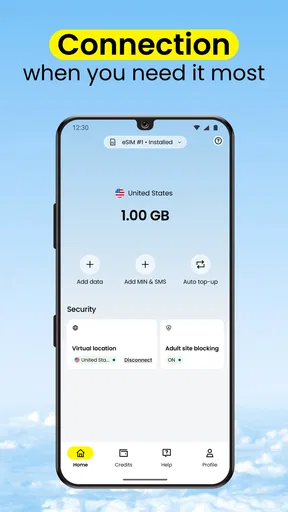
I find it helpful to treat the travel eSIM as one part of my arrival routine, not as something to troubleshoot while rushing to leave the airport. I check which phone line is selected for mobile data before opening maps or messaging, then change only that setting if needed. That small, deliberate check helps me narrow down a connection issue without disturbing the rest of my phone setup.
Features That Make Travel Seamless
The beauty of eSIM technology is that it eliminates the need for physical SIM cards. With Saily eSIM, you can switch between different data plans with a few taps. It’s as easy as swapping between your favorite playlists.
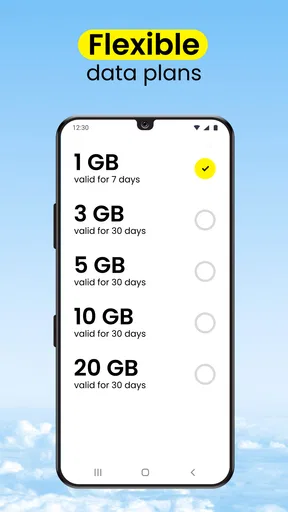
One of the standout features is the variety of data plans available. Whether you're a heavy data user streaming videos and constantly on social media, or just need enough to check emails and maps, Saily's got a plan for you. The app provides a detailed breakdown of each plan, so you know exactly what you're getting into.
Activation is another breeze. Once you pick a plan, the app guides you through the activation process, and in just a few minutes, you’re connected. No more hunting for Wi-Fi or dealing with exorbitant roaming charges.
The useful trade-off is that a travel eSIM handles connectivity differently from your familiar mobile subscription. I would treat it as a dedicated travel-data option, not as proof that every part of my usual phone service will behave exactly as it does at home. If I rely on my regular number for important calls or verification messages, I would check how my phone manages both lines and avoid turning off a line I still need. Anyone who wants one simple number and one all-inclusive service may prefer to ask their existing carrier about its travel arrangements instead.
User Experience on the Go
Let’s talk usability. While using Saily eSIM, I felt like the app was reading my mind. It’s designed to be used on the go, which is crucial when you're juggling luggage, currency exchange, and new languages. The app's notifications are subtle but effective, reminding you when your plan is about to expire or if there’s a better deal available.
One thing I appreciated was the customer support. There's a handy FAQ section and live chat support if you find yourself in a bind. It's like having a tech-savvy friend on speed dial.
For a realistic arrival-day example, imagine getting off a flight, checking the route to your hotel, and sending a quick message to the person meeting you. I would have the eSIM installed beforehand, then check the phone’s selected data line if the map refuses to load. If it still does not connect, I would toggle the relevant mobile-data setting only after checking the device’s instructions, and reconnect to trusted Wi-Fi if available so I can review the setup. This orderly approach is more useful than repeatedly buying another plan or changing several settings at once.
When the connection problem is elsewhere
An eSIM app cannot fix every mobile-data problem. A phone may show no service because of its settings, local signal conditions, or an issue with the device itself. If the plan appears installed but data does not work, I would first confirm the intended line is selected for mobile data, then check that mobile data is enabled and that the phone has a usable signal. If menus or prompts look different from the app’s instructions, I would consult the phone’s own help rather than guess at a setting that could affect my regular line.
It is also possible to mistake an app problem for an internet problem. If Saily opens only when you have Wi-Fi, that does not tell you whether the travel eSIM is active; it simply means the app currently has an internet connection through Wi-Fi. Conversely, a plan purchase or installation screen loading successfully does not guarantee that the phone has switched to that eSIM for data. Keeping those steps separate helps narrow down what to check without assuming the purchase itself failed.
Compared with roaming through your home carrier, a travel eSIM can give you a separate way to arrange destination data, but it adds an installation and settings step. Compared with buying a local physical SIM after arrival, it can spare you a shop visit and a card swap, although a local SIM may suit someone who wants a local number or prefers in-person help. Airport and hotel Wi-Fi are convenient for occasional use, but they are not a dependable substitute when you need directions outside or a message on the move. I see Saily as a practical middle ground for people who want data access without making roaming their only option.
Travel Smart with Saily eSIM
The app isn’t just about convenience. It's about traveling smarter. By using Saily eSIM, you’re not only saving money but also enjoying a more seamless travel experience. The app helps you avoid those awkward moments of asking for Wi-Fi passwords in foreign languages or getting caught with a hefty phone bill at the end of your trip.
Plus, Saily eSIM is eco-friendly. By eliminating the need for physical SIM cards, you're doing your bit to reduce plastic waste. It’s a small step, but every little bit helps, right?
The app is best suited to travelers who are comfortable making a few phone-setting checks and want to arrange mobile data for a destination before relying on it. It can be handy for a short city break, a work trip where maps and messaging matter, or a longer itinerary where staying online across destinations is a priority. I would be more cautious if I had an older or unfamiliar phone, needed a local phone number, or wanted someone at a shop to handle setup face to face. In those cases, checking device compatibility first—or choosing a carrier or local SIM with the support you prefer—may be the wiser move.
Saily’s current version is 3.39.0, and it was released on March 21, 2024. I would keep the app up to date before travelling, but I would still avoid leaving installation until the last minute. A version update cannot replace a compatibility check or a clear understanding of which line is carrying mobile data. The most useful preparation is a calm test of the setup while you still have a familiar connection and time to read each prompt.
If I were planning a trip, I would use the app as one part of a small connectivity plan: confirm my phone supports eSIM, check that the chosen destination matches my route, install the plan with reliable internet, and know how to switch mobile data to the travel line. I would also keep my home line’s role in mind, especially if I depend on it for calls or account messages. That modest bit of preparation is what turns the app from a backup idea into something I can reasonably rely on when I step outside.
All in all, Saily eSIM is a game-changer for travelers. If you want to keep your travels smooth and your data flowing, this app should definitely be on your packing list. So next time you’re planning a trip, let Saily eSIM handle the data, while you focus on the adventure. Happy travels!
Pros
- Easy setup with instant activation.
- Affordable data plans for travelers.
- Wide coverage in multiple countries.
- No physical SIM card needed.
- User-friendly interface and support.
Cons
- Limited to data
- no voice calls.
- Requires internet for initial setup.
- Some plans may have speed limits.
- Not compatible with all devices.
- Data validity varies by region.
FAQs for Saily: eSIM + phone number
What is Saily eSIM and how does it work?
Saily eSIM is a mobile application designed to provide users with convenient travel data plans through eSIM technology. By eliminating the need for physical SIM cards, it allows travelers to access mobile data networks in various countries seamlessly. After downloading the app, users can select and activate a data plan before or during their trip.
How do I install and activate an eSIM with Saily on my device?
To install an eSIM using Saily, first ensure your device is eSIM-compatible. Download the app from the App Store or Google Play. After installation, browse and purchase a suitable data plan. The app will provide a QR code or automatic configuration to activate the eSIM on your device. Follow the on-screen instructions to complete the setup.
Are there any specific device requirements for using Saily eSIM?
Yes, to utilize Saily eSIM, your device must support eSIM technology. Most modern smartphones, including the latest iPhones and Android models, offer eSIM capabilities. Additionally, ensure your device's operating system is up-to-date to avoid compatibility issues. Checking your device's specifications or contacting your manufacturer can confirm eSIM support.
Can I use Saily eSIM for voice calls and texts?
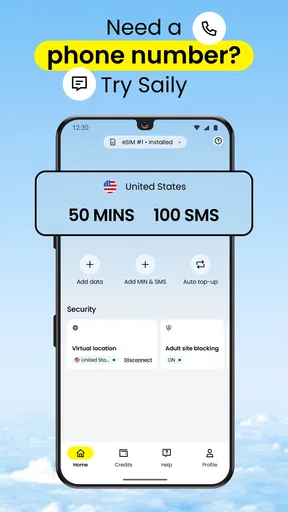
Saily eSIM primarily focuses on providing data plans for internet access. While the app excels in delivering reliable data connectivity, it does not typically support traditional voice call and SMS services. However, you can use internet-based communication apps like WhatsApp or Skype for calls and messaging while using Saily's data plans.
What should I do if I encounter issues or need support with Saily eSIM?
If you face any problems or require assistance with Saily eSIM, the app offers customer support through various channels. You can access the help section within the app for troubleshooting tips or contact their support team via email or live chat. Additionally, their website may provide a FAQ section and other resources.


